
NAS – Part 2: Design and Enclosure
Overview
It’s been a few weeks since I last posted about my adventure using FreeCAD to design a NAS enclosure, so this is Part 2 of the series.
For anyone who hasn’t read the first post, here’s the three-bullet summary:
- I wanted to learn some CAD.
- I have access to a 3D printer.
- I’m building a NAS.
Enclosure
As mentioned in Part 1, the enclosure is built from three sections.
Core
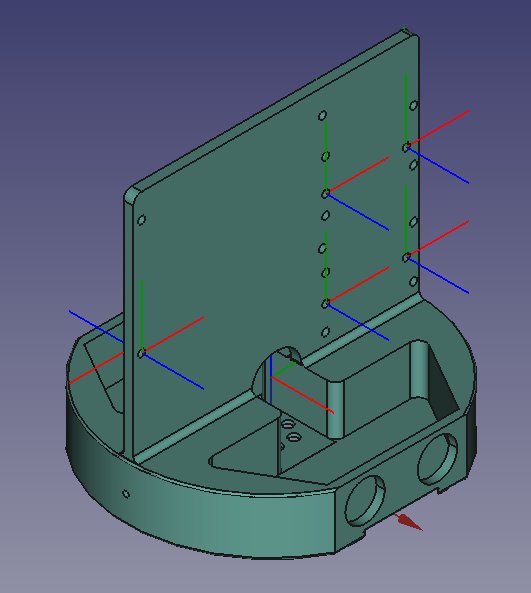
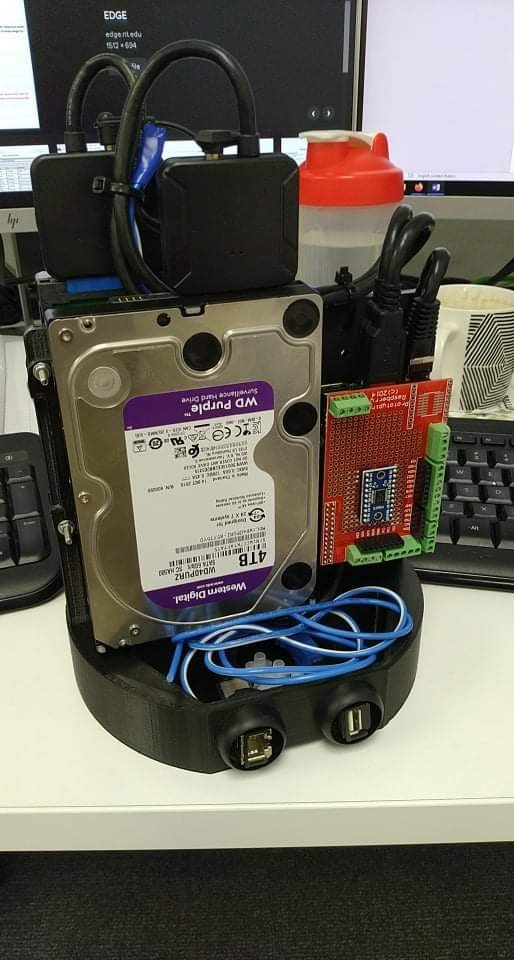
The core contains all the essential hardware:
- 2 × 4TB 3.5" HDDs These will most likely be configured in a RAID 1 setup using the now-stable ZFS filesystem.
- Raspberry Pi 3 Model B Probably running Ubuntu Server or Arch — still undecided.
- SATA-to-USB converters Used to connect the internal HDDs via USB.
- 2 × PSUs One 24V → 12V supply for the HDDs and one 24V → 5V supply for the Pi.
- 2 × connectors One Ethernet and one USB connector, with the USB used as the 24V power input.
Also, please excuse the dirty table and coffee cup — that caffeine is essential for after-work tinkering. 😄
Inner
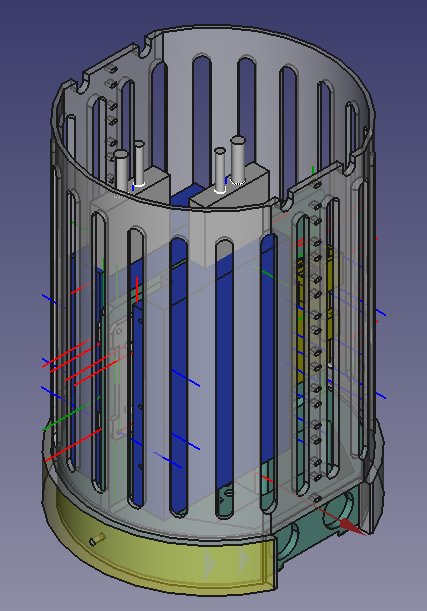
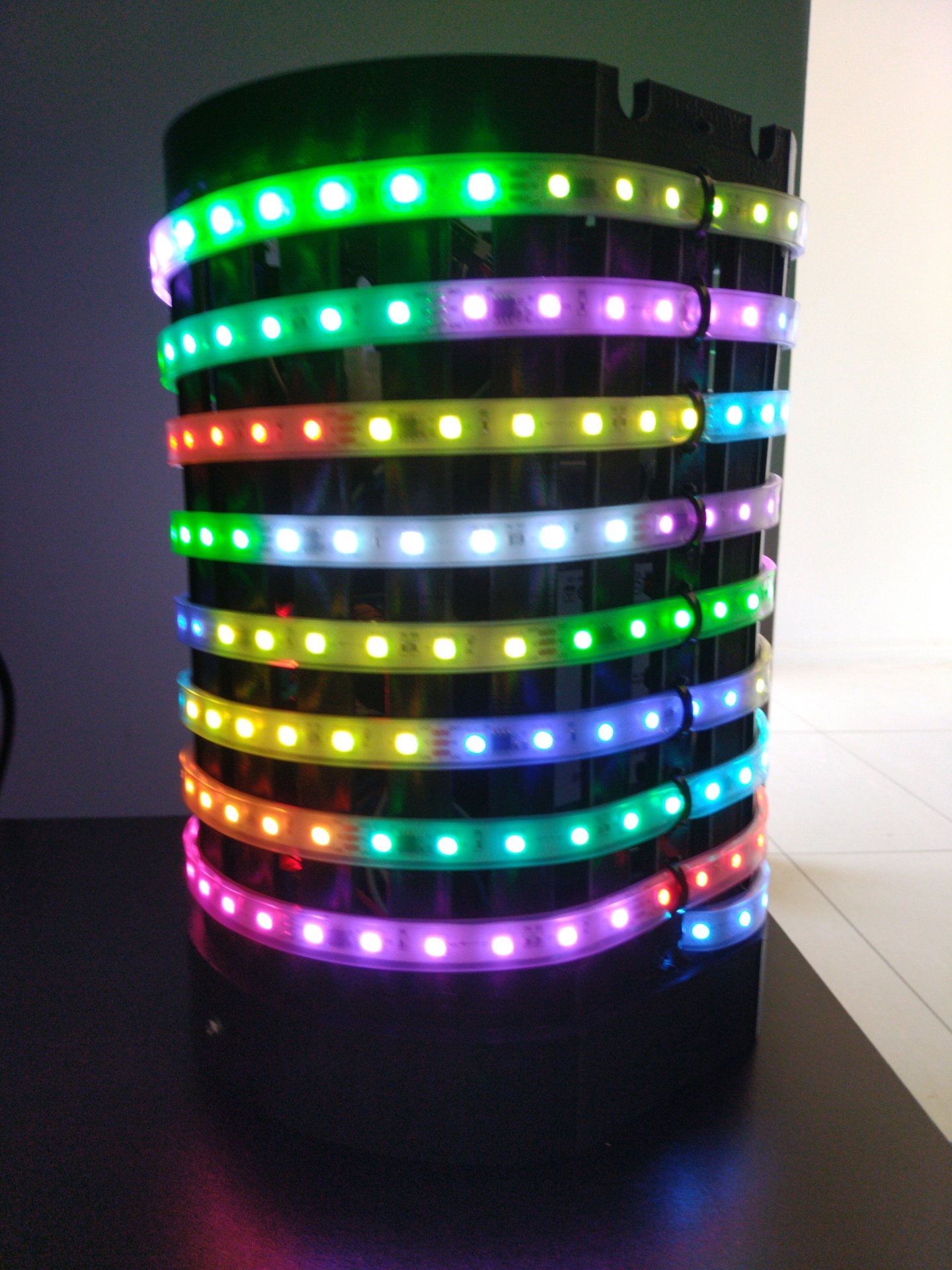
The inner section contains all the addressable LEDs.
This sits directly on top of the core and is responsible for the visual feedback layer of the NAS.
Shell
The shell is still a work in progress — but I’ll get to that soon.
Software
Working
Below is a list of software that is currently up and running.
- Arch Linux (32-bit) for Raspberry Pi 3
This was fairly straightforward: download the image, burn it to an SD card, and boot. The Arch Wiki continues to be one of the best technical resources out there.
- ZFS
This was a bit more interesting. I couldn’t install it via pacman without compiling the packages from source, as there don’t seem to be pre-built binaries for armv7h.
I also spent some time figuring out auto-mounting, since the SATA-to-USB converters take a while to initialize on boot.
- Transmission
For downloading torrents via a web interface, Transmission works great. I can now submit torrents from other machines and have them downloaded directly to the NAS using Transmission’s built-in web UI.
- smartctl
This runs as a service that monitors hard drive health and sends email alerts if anything looks suspicious.
- Pi-hole
A DNS-level ad blocker — very useful for reducing ads on things like smart TVs. It’s not perfect, but it definitely helps. Some of its dependencies also need to be compiled.
- rpi-ws281x-python
A Python library used to control the addressable LEDs.
Not Done Yet
- LED patterns
The LEDs themselves work and have been tested using the example scripts, but I still need to implement the actual patterns I want — things like idle, read, and write activity indicators.